


Screen Marker Software for Presentation, Demo and Teaching |
|||||||||||||||||||||||||||||||||
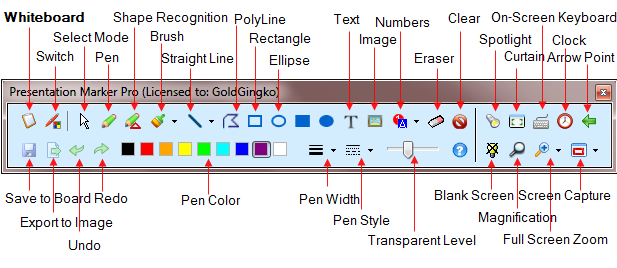
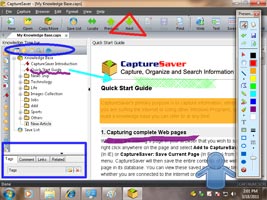
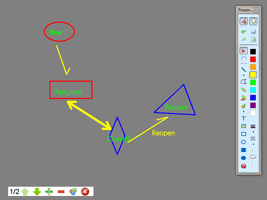
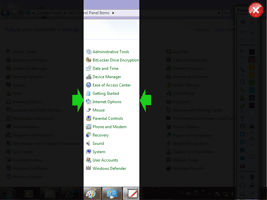
The screen marker Software Presentation Marker allows users to mark on screen directly and zoom into certain portions for quick explanation, so the interpretation or demonstration can be clearer. Moreover, it offers more screen marker tools – Spotlight, Curtain, Screen Digital Clock, Arrow Point, Magnification, Screen Capture etc. Presentation Marker could offer a significant help during a product demonstration or foil presentation when there is a need to make annotation on screen for better illustration.
If you give a lot of presentations, product demos, tutorials, and the like, you’ll definitely want to add the screen marker software Presentation Marker to your toolset. |
|||||||||||||||||||||||||||||||||
Choose the Presentation Marker That's Right for You |
|||||||||||||||||||||||||||||||||
|
|||||||||||||||||||||||||||||||||
| Portable Version | |||||||||||||||||||||||||||||||||
We offer the portable version of Presentation Marker, it can be installed on, and run from a USB drive. You can carry it, together with your multimedia lecture content, to the several classrooms where you teach. Plug you USB drive into the PC and then run PresentationMarker.exe. |
|||||||||||||||||||||||||||||||||
| Screenshots | |||||||||||||||||||||||||||||||||
|
|||||||||||||||||||||||||||||||||
| Tech Spec | |||||||||||||||||||||||||||||||||
| References: | |||||||||||||||||||||||||||||||||
|
|||||||||||||||||||||||||||||||||
| Supported OS: | |||||||||||||||||||||||||||||||||
|
|||||||||||||||||||||||||||||||||





Version: V2.8.2
Windows All

From $44.95
Money Back Guarantee
For teachers and for business persons who may have to make presentations, this screen marker software should be handy. |
The best software to use for mark on the screen. |

