


The Best Screen Annotation, Zoom and Assistant Tool for Presentation |
Presentation Assistant is a best annotation, zoom and assistant tool for teaching, technical presentations, education, demonstration, explaining, and internal meeting at work or if you just need to explain someone something on your computer. |
Presentation Assistant is an ideal tool for:
|
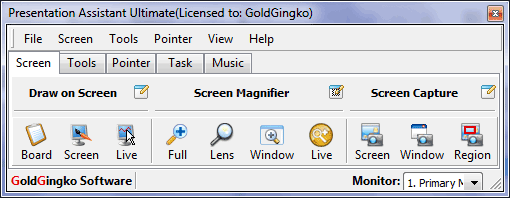
Overview
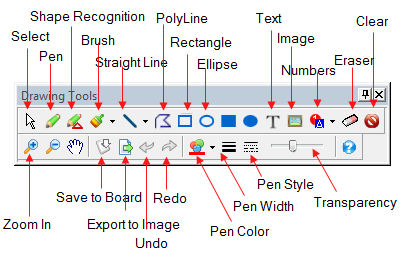
Presentation Assistant allows users to annotate on screen and zoom into certain portions for quick explanation. With the screen annotation tools, you can draw all kinds of lines, rectangles, circles, or add text marks or picture marks on the screen.
Moreover, Presentation Assistant offers more additional on-screen annotation tools – Spotlight, Curtain, Screen Digital Clock, Arrow Point, Magnification, Screen Capture etc. Presentation Assistant can helps you preside over a meeting more effectively. It enables you to open documents or programs quickly, and play background music conveniently during the presentation. It is a must have for presentations. The Ultimate edition of Presentation Assistant offer more features which makes it easy for your audience to follow your actions on the screen. It adds cursor highlighting abilities and mouse click effects. It also displays your keystrokes on screen and allows you to draw lines and shapes on live screen. |
Features
 Mark freely on screen Mark freely on screen |
Electronic Whiteboard |
|
|
| Full Screen Zoom |
Spotlight & Curtain |
|
|
| Countdown |
Task Shortcuts |
|
|
| Playing background music |
Monitor Switch |
|
|
| Pointer Effect |
Mouse Click Effect |
|
|
| Live Drawing |
Live Zoom |
|
|
| Keystrokes Displaying |
Flexible, Easy to Use |
|
|
| Arrow Point |
Screen Capture |
|
|
| Screen Digital Clock |
Hide output on projection screen |
Screenshots
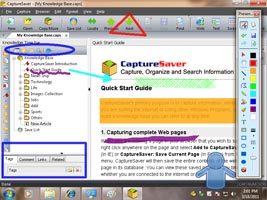
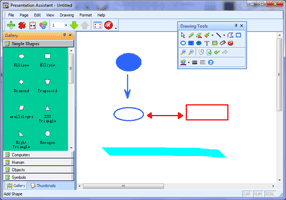
| Annotate on Screen | Draw Freely on Electronic Whiteboard |
 |
 |
| Use Spotlight to Grab Audience's Attention | Use Curtain to Grab Audience's Attention |
 |
 |
Testimonials
| Latest Customer Reviews |
"It converts the computer screen into a manipulatable white/black broad and do a lot that one can do with electronic pointer, torch, chalk,whiteboard markers etc. For teachers and for business persons who may have to make presentations, this software should be handy. It will draw the listener’s attention. I liked it." "nice program, works with multiple screens on win xp "A very good utility that is very useful during a presentation. It is easy to use as well. It's a must have for presentations." "After about 5mins I was very comfortable working the menus and transferring between 2 monitors. To do trainings and small presentations and this will work great as an add on. THANK YOU" |
| More of what customers are saying |
Tech Spec
| References: |
|
| Supported OS: |
|
Portable
We offer the portable version of Presentation Assistant, it can be installed on, and run from a USB drive. You can carry it, together with your multimedia lecture content, to the several classrooms where you teach. Plug you USB drive into the PC and then run PresentationA.exe. |

Only $49.95
30-Day Money Back Guarantee

Version: V3.0.3
Windows All
Only $49.95
Money Back Guarantee
For teachers and for business persons who may have to make presentations, this screen annotation software should be handy. |
The best software to use for annotating on the screen. |
Very useful for recording demonstrations, remote technical assistance, sales presentations, and training.. . |
Great app for Internet Marketers, teachers and IT Trainers. |
| More of what customers saying |

